Table of Contents
You’re listening to music, watching a video, or on a call — and suddenly the audio stops for a second. Then it comes back. A few minutes later, it happens again.
If sound cuts out randomly during playback, it can feel unpredictable and frustrating. The interruption may last half a second or several seconds. Sometimes it happens only once. Other times, it repeats constantly.
The most important question is:
Is this normal wireless behavior — or a sign your headphones are failing?
In reality, random audio dropouts usually fall into one of four categories:
- Wireless interference
- Weak Bluetooth signal
- Low battery instability
- Software or firmware glitches
Only in a smaller percentage of cases does it indicate real hardware failure.
Before assuming damage, we need to analyze the situation logically and isolate the variables.
If your issue involves one earbud going silent completely instead of cutting out intermittently, read:
Headphones work on one side only: is it broken?
Now let’s break down why sound cuts out randomly and how to determine whether it’s normal or a defect.
Why Sound Cuts Out Randomly: The Core Causes
Random dropouts happen when the audio stream is interrupted temporarily. That interruption can occur at different layers of the audio system.
Wireless Interference (Most Common Cause)
Bluetooth operates in the 2.4 GHz frequency band. Unfortunately, this is one of the most crowded wireless spectrums in modern environments.
Devices that compete for this frequency include:
- Wi-Fi routers (especially 2.4 GHz networks)
- Microwaves
- Smart home devices
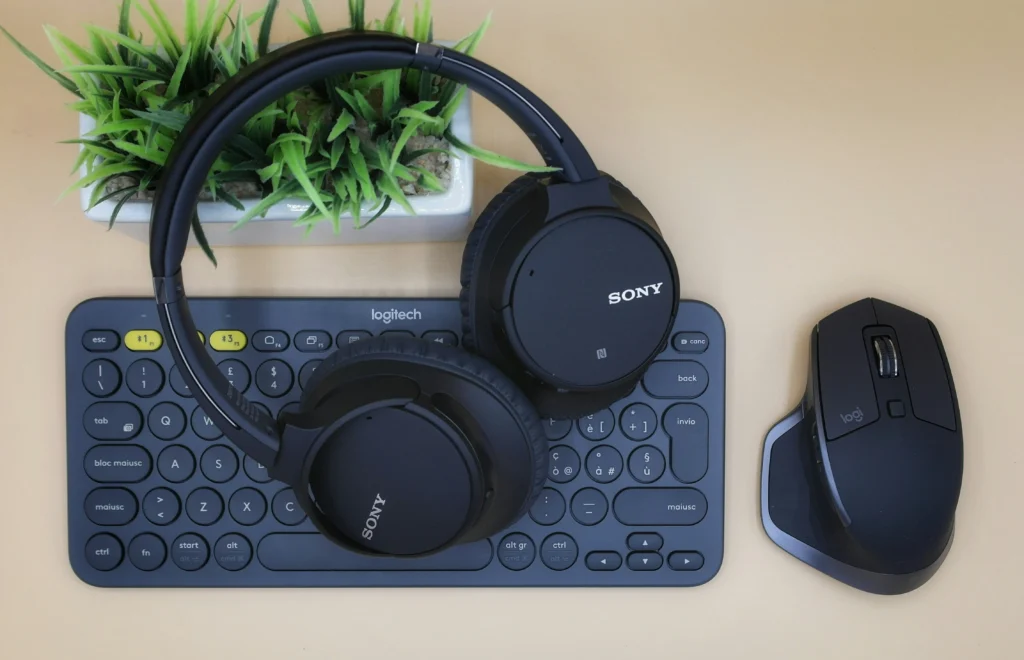
- Wireless keyboards and mice
- Other Bluetooth headphones nearby
- Fitness trackers and smartwatches
When multiple signals overlap, packet collisions occur. Bluetooth compensates by retransmitting data — but if interference is heavy, the audio buffer empties before new packets arrive.
Result:
Sound cuts out randomly for a brief moment.
This is especially common in:
- Office environments
- Airports
- Cafés
- Apartment buildings
- Gaming setups with many wireless peripherals
Short interruptions in crowded environments are generally normal wireless behavior — not a defect.
Weak Bluetooth Signal or Range Limitations
Even if interference is minimal, signal strength plays a critical role.
Typical effective ranges:
- Bluetooth 4.x → ~10 meters (ideal conditions)
- Bluetooth 5.x → 20–30 meters (open space)
But real-world conditions reduce this drastically.
Factors That Reduce Signal Strength:
- Walls (especially concrete)
- Metal objects
- Your body blocking the signal
- Phone in back pocket
- Device inside a bag
If sound cuts out randomly when you turn your head, put your phone in your pocket, or walk away slightly, the issue is likely signal attenuation.
Wireless audio requires stable continuous transmission. Even brief signal degradation can cause audio gaps.
This type of dropout is normal under weak signal conditions.
Low Battery Behavior and Power Instability
Battery level affects more than just playback time.
Modern wireless headphones include:
- Power management chips
- Amplifier circuits
- Bluetooth radio modules
When battery drops below certain thresholds:
- Output amplifier may reduce power
- Bluetooth radio may lower transmission stability
- One earbud may enter power-saving mode
- Channel synchronization may degrade
As a result, sound cuts out randomly — especially in true wireless earbuds where one earbud acts as the “master” unit.
Warning Signs Battery Is the Cause:
- Dropouts increase when battery < 30%
- One earbud disconnects briefly
- Problem improves after full charge
If you notice unusual battery behavior or rapid discharge, you should also review:
Battery drains fast without use: is something wrong?
Battery instability is often misdiagnosed as hardware damage when it is simply voltage fluctuation.
Software or Operating System Glitches
Bluetooth audio relies on several software layers:
- Device Bluetooth stack
- Audio routing service
- Codec negotiation
- Media playback buffer
If any of these layers becomes unstable, playback may stutter or drop momentarily.
Common triggers include:
- Recent system update
- App update
- Switching between apps rapidly
- Connecting to multiple Bluetooth devices
- Leaving device in standby for long periods
In these cases, the connection stays active — but audio service briefly fails.
Signs It’s a Software Glitch:
- Problem starts after update
- Restart temporarily fixes it
- Happens only on one device
- Does not occur when connected to another phone
If the issue began after a software update, read:
Battery life shorter after update: what to do?
System updates can alter Bluetooth drivers and background audio management.
Hardware Instability (Less Common but Serious)
While most cases are environmental or software-related, true hardware problems do exist.
Possible hardware causes include:
- Loose internal wiring
- Damaged Bluetooth antenna
- Failing amplifier chip
- Speaker driver degradation
- Moisture corrosion
Hardware-related dropouts usually worsen over time.
Warning Signs of Hardware Failure:
- Dropouts happen even at close range
- Occurs across multiple devices
- Happens at full battery
- One side behaves inconsistently
- Crackling or distortion precedes silence
If sound cuts out randomly under all conditions — quiet room, full charge, close range — hardware becomes more likely.
Normal vs Defect: Early Evaluation
At this stage, ask yourself:
- Does it happen only in crowded environments? → Probably normal
- Does it happen only when battery is low? → Likely power-related
- Does restart fix it? → Software glitch
- Does it occur everywhere consistently? → Possible hardware issue
Understanding this distinction prevents unnecessary replacement.
Step 1 – Eliminate Distance & Interference First
Since wireless instability is the most common cause, always start here.
Stand Next to the Device
- Place phone directly in front of you
- Remove physical obstructions
- Disable nearby Bluetooth devices temporarily
If sound cuts out randomly even at 1 meter distance in a quiet room, interference is unlikely the cause.
If dropouts disappear → you’ve confirmed environmental instability.
Disable 2.4 GHz Wi-Fi Temporarily
Many routers broadcast both 2.4 GHz and 5 GHz networks.
Try:
- Switching phone to 5 GHz Wi-Fi
- Turning off router briefly for testing
If audio stabilizes, congestion was likely causing packet collisions.
Short wireless dropouts in congested environments are considered normal behavior, not a defect.
Step 2 – Fully Charge Both Device and Headphones
Battery instability is often underestimated.
Even at 25–30%, voltage regulation can fluctuate.
Charge to 100% and Test Again
After full charge:
- Reset connection
- Play continuous audio for 10–15 minutes
If sound cuts out randomly only at lower battery levels, power management is likely throttling performance.
If your headphones seem to lose battery unusually fast, read:
Battery drains fast without use: is something wrong?
Uneven discharge between earbuds can also cause desynchronization.
H3: Check for Uneven Earbud Drain
In true wireless earbuds:
- One earbud acts as master
- It consumes more power
- If voltage dips, it may briefly disconnect
Signs:
- One earbud drops first
- Audio shifts briefly
- Small delay before reconnecting
This is common in older or heavily used models.
Step 3 – Forget and Re-Pair Bluetooth Connection
Bluetooth pairing profiles can become corrupted.
Perform Clean Re-Pair
- Go to Bluetooth settings
- Forget device
- Restart phone
- Restart headphones
- Pair again
This clears:
- Corrupted A2DP profile
- Codec negotiation glitches
- Cached device parameters
Many users report that after re-pairing, sound cuts out randomly no longer occurs.
Step 4 – Restart Audio Services
Sometimes Bluetooth is fine — but audio routing service glitches.
Simple Restart
Reboot device completely.
This:
- Restores audio stack
- Clears memory conflicts
- Resets Bluetooth buffer
If restart fixes the issue temporarily but it returns later, software instability is likely.
After System Update Issues
If the problem began after:
- Android update
- iOS update
- Windows update
Then driver-level changes may be responsible.
OS updates sometimes alter Bluetooth power management behavior.
Step 5 – Test on Another Device
This is the most critical isolation test.
Connect to a Second Phone or Laptop
If sound cuts out randomly:
- On Device A
- But not on Device B
Then Device A has a software issue.
If the problem occurs everywhere → likely headphone-side issue.
This test removes 50% of uncertainty instantly.
Step 6 – Disable Multi-Device Auto Switching
Many modern headphones support multi-point connectivity.
When connected to two devices:
- Notification on second device
- Audio source switching
- Background app activity
Can interrupt playback briefly.
Try:
- Turning off Bluetooth on secondary devices
- Disabling auto-switch feature
Random cutouts often disappear after this step.
Deep Technical Explanation: Why Random Cutouts Happen
Understanding the mechanism helps prevent overreaction.
Bluetooth Packet Loss
Audio is transmitted in packets.
If packets:
- Arrive late
- Arrive corrupted
- Are dropped
The playback buffer empties momentarily.
Result:
Sound cuts out randomly.
Bluetooth attempts automatic retransmission, but if interference persists, micro-silence occurs.
Codec Buffer Underflow
Each codec (SBC, AAC, aptX, LDAC) uses buffering.
If buffer underflows:
- Audio pauses briefly
- Then resumes when buffer refills
High-bitrate codecs like LDAC are more sensitive to weak signals.
Switching to SBC sometimes stabilizes audio.
Body Blocking Effect
Your body absorbs 2.4 GHz signal.
Example:
- Phone in right pocket
- Master earbud in left ear
Signal must pass through torso → attenuation increases.
This explains why sound cuts out randomly when turning head or putting phone in pocket.
This is normal wireless physics, not hardware damage.
Early Warning Signs of Real Defect
After structured testing:
If sound cuts out randomly:
- At 1 meter distance
- At full battery
- In quiet room
- On multiple devices
- After factory reset
Then hardware instability becomes likely.
Possible causes:
- Weak internal antenna
- Failing amplifier
- Driver intermittently disconnecting
- Micro-fractured solder joint
Hardware dropouts usually worsen gradually over weeks.
Summary of Diagnostic Logic So Far
If sound cuts out randomly:
| Scenario | Likely Cause |
|---|---|
| Only in crowded areas | Interference |
| Only when battery low | Power instability |
| Fixed by restart | Software glitch |
| Only on one device | OS issue |
| Everywhere, all conditions | Hardware defect |
This framework prevents premature replacement.
How to Prevent Random Audio Dropouts in the Future
Once you’ve fixed the issue where sound cuts out randomly, the next goal is stability.
Wireless audio is sensitive to environment, power, and software state. Prevention reduces long-term frustration.
Keep Firmware Updated
Manufacturers frequently release firmware updates to:
- Improve signal stability
- Optimize codec handling
- Fix multi-device switching bugs
- Improve battery power regulation
Check the official companion app regularly.
Even small firmware revisions can reduce random audio dropouts significantly.
Avoid Overcrowded Wireless Environments
If you regularly experience that sound cuts out randomly in specific places (office, gym, café), consider:
- Switching Wi-Fi to 5 GHz
- Moving away from routers
- Limiting active Bluetooth devices nearby
Short dropouts in congested environments are normal wireless behavior.
They are not defects.
H3: Keep Devices Fully Charged Before Critical Use
Low battery causes:
- Voltage instability
- Amplifier throttling
- Master earbud desync
- Reduced transmission power
To minimize random dropouts:
- Avoid running below 20% regularly
- Charge earbuds evenly
- Clean charging contacts periodically
Stable power equals stable audio.
Reset After Major OS Updates
System updates may modify:
- Bluetooth drivers
- Background power policies
- Audio routing services
If sound cuts out randomly after an update:
- Forget Bluetooth device
- Restart phone
- Re-pair from scratch
Updates can indirectly affect wireless audio behavior.
Disable Multi-Point When Not Needed
Multi-device pairing increases complexity.
If stability is your priority:
- Connect to only one device at a time
- Disable automatic switching
- Turn off Bluetooth on unused devices
Many random cutouts are caused by background switching attempts.
Frequently Asked Questions
Why does sound cut out randomly only when I move?
Movement can:
Block signal with your body
Increase distance
Introduce new interference
Bluetooth requires stable packet flow. Minor signal drops can cause brief silence.
This is normal physics, not damage.
Why does it happen only with one earbud?
True wireless earbuds use a master-slave architecture.
If the master earbud:
Loses signal briefly
Experiences voltage drop
Desynchronizes
Audio may cut momentarily.
Why is it worse when battery is low?
Because lower voltage can:
Reduce amplifier output stability
Lower radio transmission power
Cause internal clock drift
All of these can lead to audio interruption.
Is it normal for Bluetooth audio to cut out occasionally?
Yes — occasionally.
If it happens:
Briefly
In crowded environments
While moving
At low battery
It is generally normal wireless behavior.
It becomes abnormal when:
It happens constantly
It occurs at close range
It happens across multiple devices
It worsens over time
Should I replace my headphones?
Replace only if:
Tested on multiple devices
Fully charged
Reset performed
Firmware updated
Dropouts persist everywhere
Most cases of sound cuts out randomly are not hardware failure.
Premature replacement is common — and unnecessary.
Final Verdict – Problem or Normal?
Let’s simplify everything into a clear decision model.
If sound cuts out randomly:
It’s Probably Normal If:
- Happens briefly
- Occurs in busy wireless areas
- Improves after charging
- Improves after restart
It May Be a Problem If:
- Happens every few minutes
- Occurs in quiet room
- Happens at full battery
- Happens on every device
- Gradually worsens
In summary:
- ~60–70% interference or signal instability
- ~20–30% software or update related
- ~10% true hardware defect
Understanding this prevents overreaction.
Wireless audio is inherently less stable than wired connections. Minor interruptions do not automatically mean your device is defective.